Adobe or Microsoft seems to have made it harder to to “save to pdf”. The old dialog in Word leads users to this message, making it seem that one cannot save to pdf anymore. The popup makes it seem that you will only get one free conversion and then have to pay.
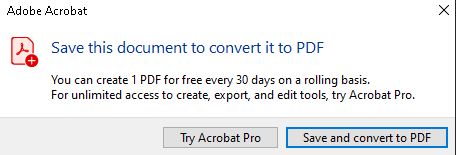
Before you assume this is the case, I’ll tell you how you can do it for free still, by “printing” to a pdf. Go to print your document as you normally would.
In the dropdown selection for the printer, you can chose to print to pdf. You are now done!
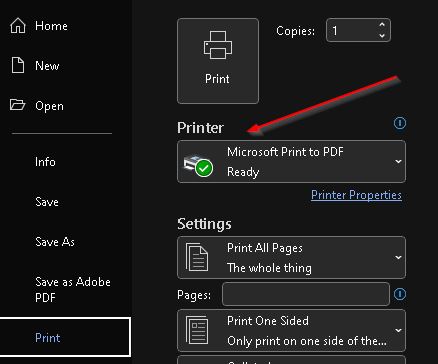
The pop up “one time conversion” seems confusing for the everyday end user, so people are searching online for “free pdf” programs.
Please don’t do this.
We are seeing a LOT of malicious or suspicious applications downloaded this way.
These days, any “free” software is typically suspect and not something you should use.
Let’s see what happens when we try to find a free pdf editor/printer/converter:
Lots of results in search!
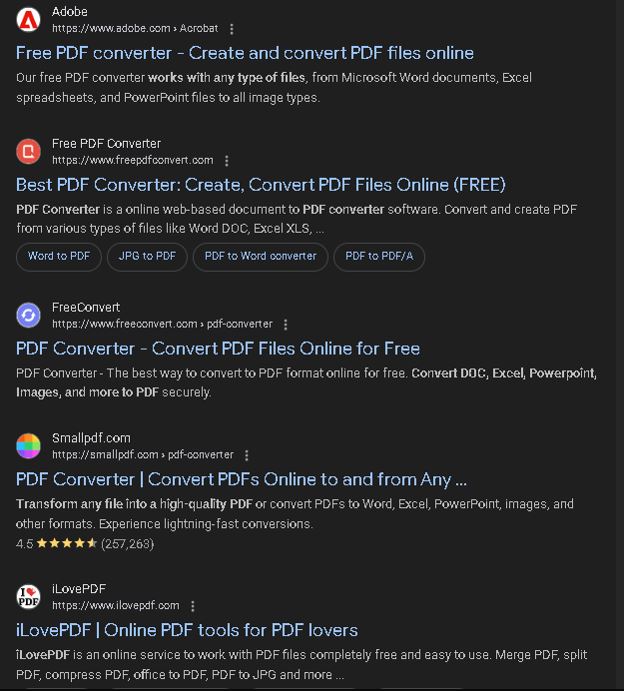
Adobe has one! This looks legit. But-should we be pasting our internal, sensitive information into this online platform? Probably not! Where does it go? Does that compromise sensitive information?

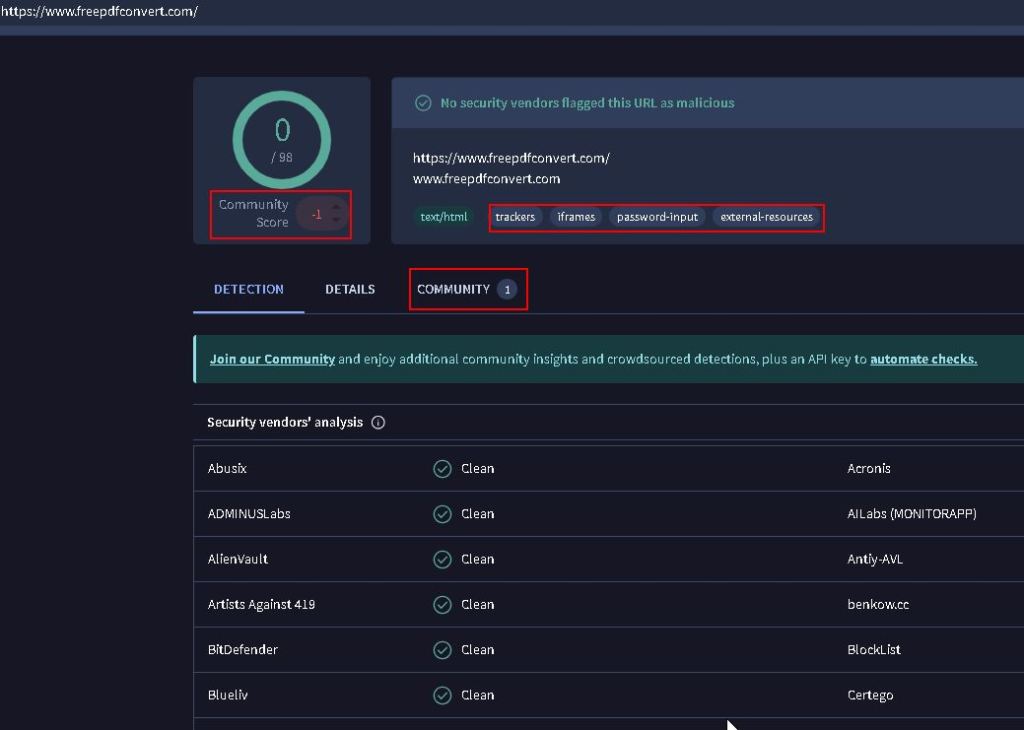
Let’s check the legitimacy of the second link by running it through a free check on VirusTotal.
Only one detection- looks good?
Not really. N.B. some new malware has no detections because it’s so new. Few detections could indicate that you’re dealing with a new malware that changes so fast the detection engines aren’t keeping up yet.
Let’s look at some indicators that something is not right here:
There is a Community Score of -1 which indicates someone is not happy with something they see here.
The items in the long red rectangle “trackers”, “iframes” “password-input” and “external-resources” are DEFINITELY a huge red flag and needs a MUCH closer look.
I wouldn’t download or use this resource.
The rest of the URLs (links) listed don’t have clearly poor reputations, but I still would not download them when there is something already built into Word.
As an additional tip, here’s something else to check when you’re questioning the validity of a link-
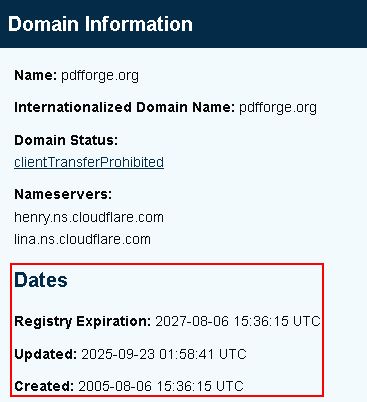
If you run a domain through the ICANN WhoIs lookup (https://lookup.icann.org/en/lookup) , you can find the initial creation date for the domain. If you see a domain that is days, weeks or sometimes only months old, this is a red flag.

 Campaign and public sector information security
Leave a comment