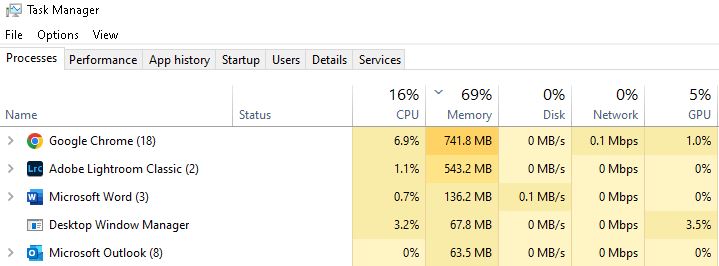
While there are a TON of really good free training resources out there, a lot of Windows forensics and incident Response analyzes normal and abnormal activity on a computer. Sometimes when DFIR beginners start working analysis on cases, they can fall down what’s referred to as the “scary rabbit hole of artifacts” which includes a multitude of normal Windows system activity. How can you begin to learn what is normal and what is not?
One tool I like to recommend to those working to get into DFIR is their own computer, as they use it. Task Manager is a built in Windows component that can give you a bunch of jumping off points and show you a lot of those artifacts that will look curious when you start looking deeply into Windows activity.
If you’re not sure how to open Task Manager, try various methods and if those don’t work, search for the tool on your favorite search engine. With this advice, I’m not trying to be harsh but introduce you to the reality that there is a lot of searching and learning that happens on the fly in IR. The more you search, the more you will begin to recognize reputable sources. You may even run into some interesting poisoned search results that try to entice you to click on sketchy websites. All of this exploration is valuable.
Back to artifacts-
If you look at Task Manager and the Processes tab, you should see some things that are normal, but unfamiliar. For example, do you know for sure that these are expected and not malicious?
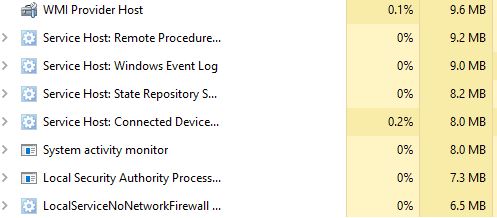
If you see one you want to know more about, right click on it. One interesting thing to check is Open file location. Is this process running from an expected location? This is important because processes running from locations like Downloads or Temp should throw up a flag for you to look closer. The more you investigate the normal processes and all associated information on a known clean machine, especially running within an enterprise environment, the less time you will spend chasing rabbits. The more you can relay about where a process should be running from and where it should not, what the process does, etc. the more you can shine in a group of interviewees.
If you run across executables that are unfamiliar, research them!
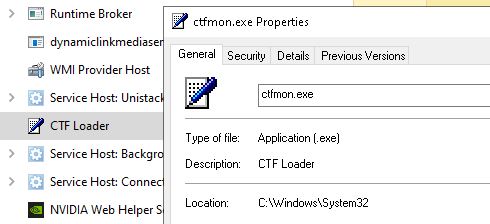
What is ctfmon? Capture the Flag? Should it be running from \System32? Can you go find the file and get a hash of it, then use some free online resources to verify if this is legitimate, signed, expected, if there are detections on the file, if it appears that it should be expected within the environment? If so, you have just completed an investigation of an artifact, all using your own computer and a few websites.
If you continue to do this regularly to the point that you open Task Manager and recognize a bunch of items that were previously unfamiliar to you and you can now answer questions about how you investigated them, you can now speak as a person who has experience with investigation methodology for some Windows artifacts. The more you spend time travelling down the forks presented to you in this exercise, the more you will be able to recognize normal activity and speak to it. Being familiar with the information presented and methods to search and verify the results found can be one of the things can set you on the path towards standing out as a candidate for those initial roles. Having interviewed quite a few candidate for DFIR roles, seeing familiarity and depth of knowledge in this exercise would have helped candidates move on to their next interview steps.
 Campaign and public sector information security
Leave a comment